View all blogs
The filings you care about now come to you
Tech & innovation

By
Insuraviews
August 17, 2026

You reviewed the market on Friday. A competitor filed a rate revision in one of your core states on Monday. If your process depends on someone remembering to go look, you find out whenever the next review happens. Sometimes that's a day. Sometimes it's three weeks, and the conversation about how to respond starts three weeks late.
Today we're closing that gap. If you use our bookmarked filing alerts, you already know half of this story: bookmark a filing, and we tell you when its status changes. But those alerts can only watch filings you've already found. Starting today, Insuraviews also notifies you when entirely new filings enter the system that match your criteria, before you've ever searched for them, let alone bookmarked them. You define what matters once. We watch for it continuously.
Most competitive and regulatory monitoring still runs on a pull model. Someone owns the task of re-running searches: the same states, the same lines, the same carrier list, week after week. It works until it doesn't. The owner goes on vacation. A quarter-end crunch pushes the review back. A filing lands in a state you monitor quarterly instead of weekly.
Bookmark alerts solved this for the filings you're already tracking. The harder problem is the filing you haven't discovered yet: a competitor's rate action in your book doesn't arrive on your review schedule, and until someone runs the search that surfaces it, it might as well not exist. A pull model guarantees that your awareness of new activity lags the market by however long your review cycle happens to be.
If you use Insuraviews, you've likely already set your preferences: the states you operate in, your lines of business, the carriers and companies you benchmark against, the filing types you care about. Until now, those preferences shaped your default views and searches.
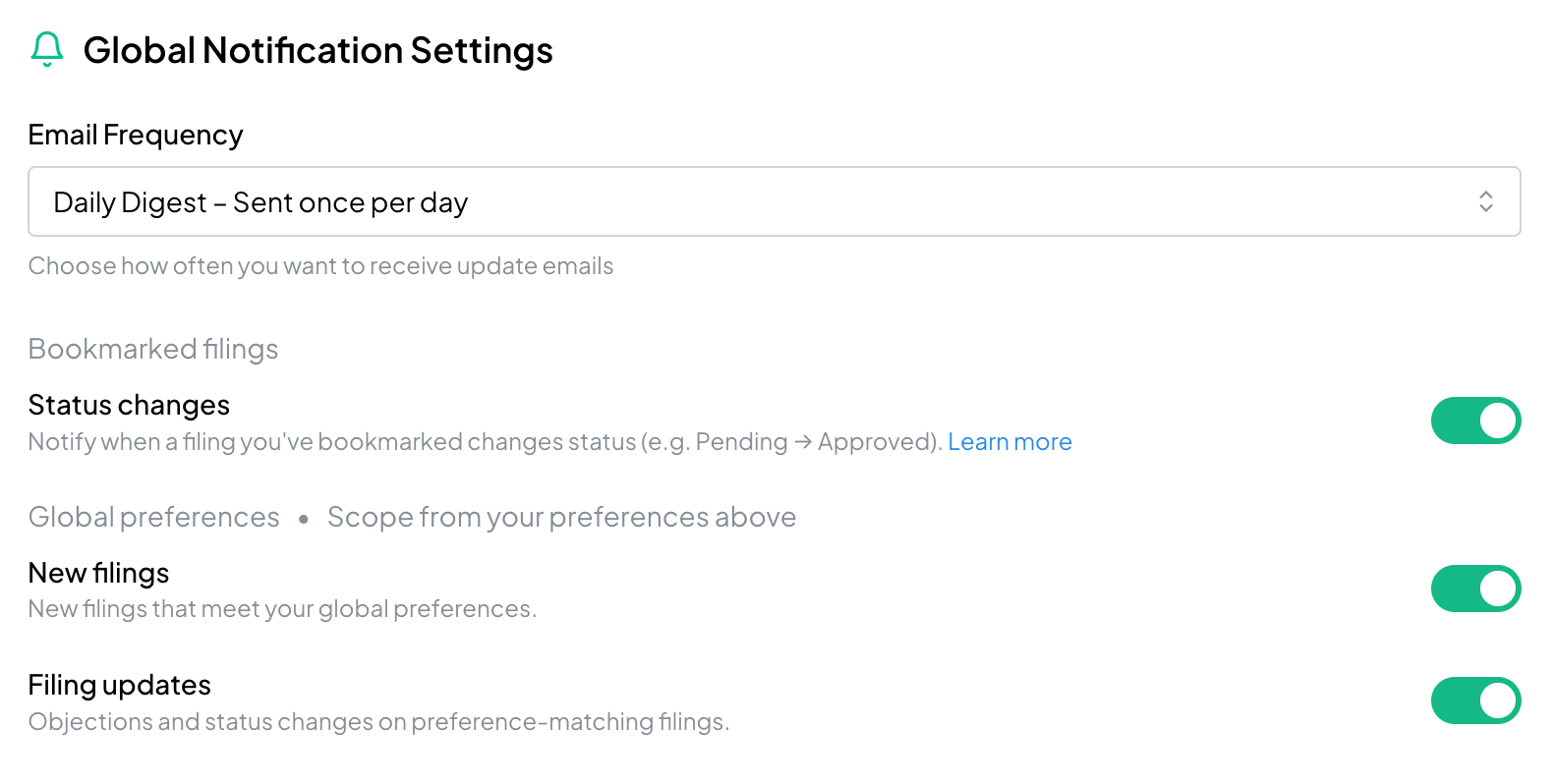
Now they can also work as monitoring criteria. From the Global Notification Settings section of your Preferences page, you can turn on two triggers:
The bookmarked filing alerts you already rely on aren't going anywhere. They now live alongside these new triggers in the same settings, so all of your notification controls, for the filings you follow individually and for the new activity you haven't seen yet, sit in one place.
Nobody in pricing or product needs another source of one-line alert emails. So we built this as a digest. You choose the cadence that fits how you work: daily or weekly, or off entirely.
Each digest gathers the period's activity that matched your criteria: the new filings, the status changes, and links that take you straight to the filing in Insuraviews. From there, everything you already use is one click away, including the AI Assistant, so you can go from "a competitor filed" to "here's the rate impact and the exhibits behind it" in the same sitting.
The practical shift is from monitoring as a task to monitoring as infrastructure. The re-run-the-search ritual goes away, and with it the risk that a busy week becomes a blind spot. Your criteria do the watching. Your team's time goes to the part that actually needs judgment: reading the filing, understanding the rate action, and deciding what it means for your book of business.
For competitive intelligence teams, that means hearing about a rival's rate change while a response is still timely. For actuaries and pricing managers, it means a steady feed of the rate activity in your states and lines without owning a checking chore. For regulatory and compliance staff, it means status changes on the filings you care about surface themselves.
This release is the first phase of a larger notification system, and the trigger list will keep growing. On the roadmap: alerts for significant filings, such as rate changes that deviate from the industry average or fall outside a range you set, new rating variables, program withdrawals, and a carrier entering a new state. Also ahead: keyword triggers, notifications scoped to individual saved searches rather than your global preferences, and in-app delivery alongside email.
If there's a trigger that would change how your team works, tell us. This roadmap is shaped by what customers ask to be watched.
Setup takes about a minute. Head to your Preferences page, confirm your states, lines, and carriers are current, then enable the triggers you want under Global Notification Settings and pick your cadence.
Log in and give it a try, and as always, let us know what you'd like to see next.
Not yet a customer? Schedule a demo of Insuraviews today to see what you're missing.


© 2026 Insuraviews. All rights reserved.
.png)