View all blogs
Always know when it moves: introducing Insuraviews notifications
Tech & innovation

By
Insuraviews
March 16, 2026

If you've been using Insuraviews for a while, you already know about Bookmarks — our feature that lets you pin the filings you care about most so you can track them over time. Bookmarks give you a way to tell us what matters to you.
Today, we're taking the natural next step: Notifications.
With Notifications, Insuraviews will reach out to you the moment something changes on a filing you're watching — no more manually checking back, no more wondering if a rate filing moved from Pending to Approved overnight. We'll come to you.
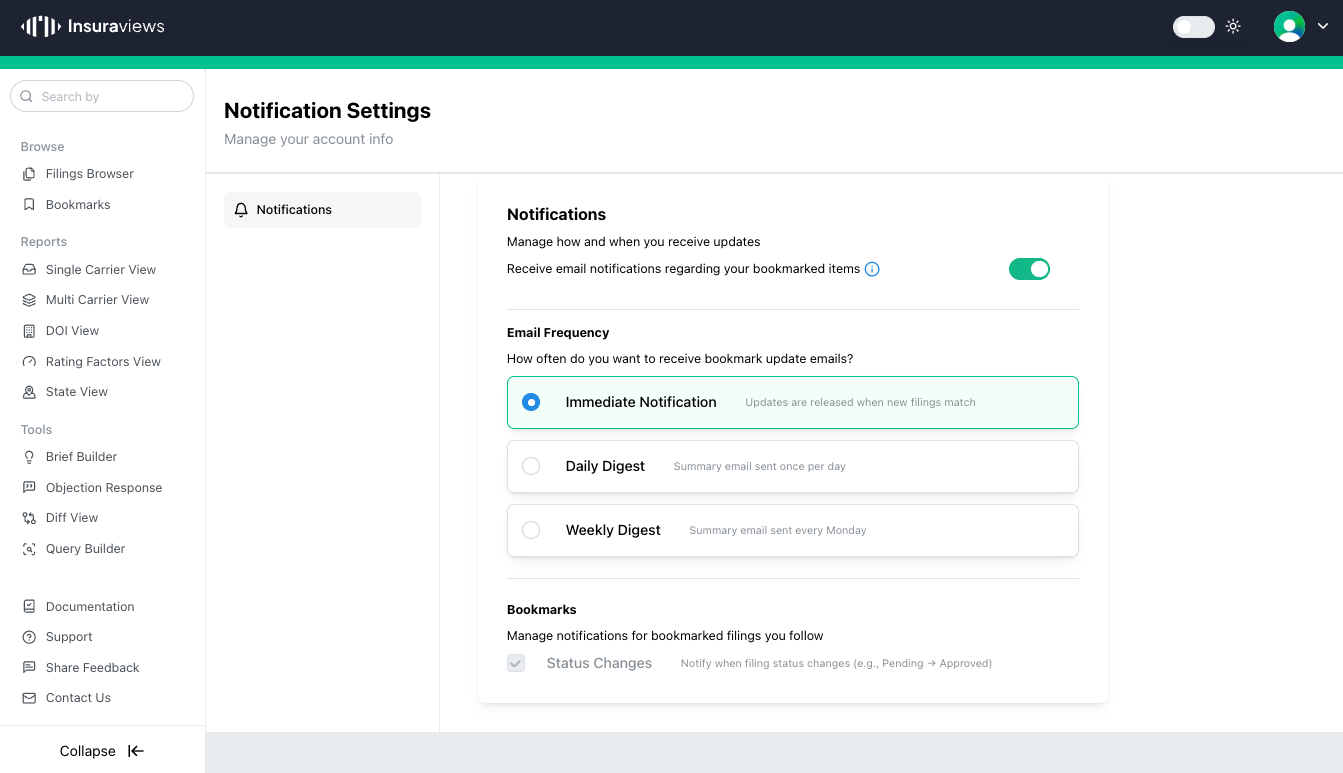
The setup is simple. Head to your Notification Settings page and turn on email notifications for your bookmarked items. From there, you choose how you want to hear from us:
Immediate Notification sends you an alert as soon as a filing you've bookmarked gets a status update. If you're tracking a competitive rate filing or a high-priority market action, this is the option for you — you'll know the moment it moves.
Daily Digest rolls up all of your bookmark activity into a single summary email sent once per day. A clean, scannable rundown of everything that changed while you were focused on other things.
Weekly Digest gives you a Monday morning recap of the past week's updates across your bookmarked filings. Great for staying oriented without the inbox noise.
You can also control exactly what triggers a notification. Right now, Status Changes are supported — meaning you'll be notified whenever a filing moves from one state to another (for example, Pending → Approved). This is the activity that matters most, and we built the alerts around it.
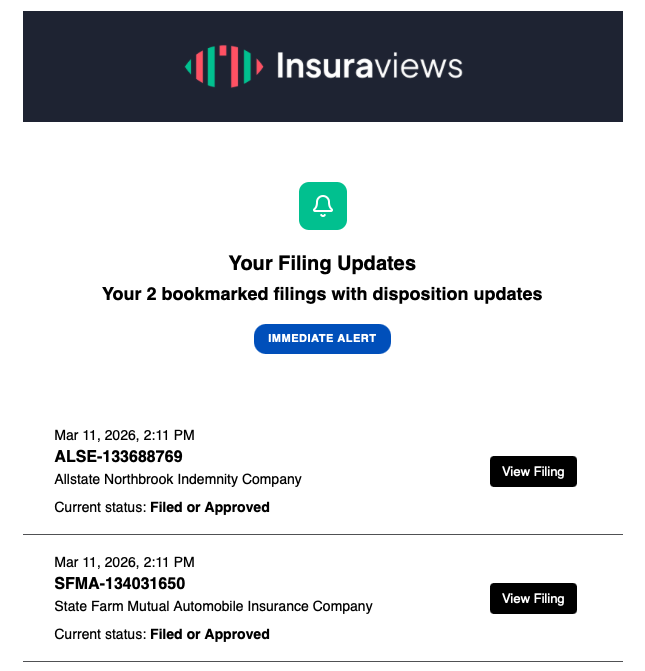
Each notification email shows you the filing ID, carrier name, and current status — clean and scannable, with a direct link back to the filing in Insuraviews. No digging around, no context switching. You see something changed, you click through, you're already there.
Notifications is the first feature in a new direction for Insuraviews: proactive, personalized intelligence. You've told us what you care about through your Bookmarks. Now we're building the machinery to act on that — to surface the right information to the right people at the right time, without anyone having to go looking for it.
This is just the beginning. We have a lot more planned for how Insuraviews can push relevant information to you based on your interests, your workflows, and your market focus.
Notifications are available now. Log in, go to your Notification Settings under your account icon, and pick the frequency that works best for you. If you haven't set up Bookmarks yet, start there first — Notifications are built on top of them, and the two features work together.
As always, we'd love to hear what you think. Reach out to us with feedback, and stay tuned for what's coming next.
Not yet a customer? Schedule a demo of Insuraviews today to see what you’re missing!


© 2026 Insuraviews. All rights reserved.

.png)